A must-have for anyone coming to Mac from Windows, SADFinder is the kind of app you didn’t know you needed until you’ve tried it, and it’s full of thoughtful little features I wish Mac had by default.
Eine Finder-Alternative für macOS der Ordner mit Enter öffnet.
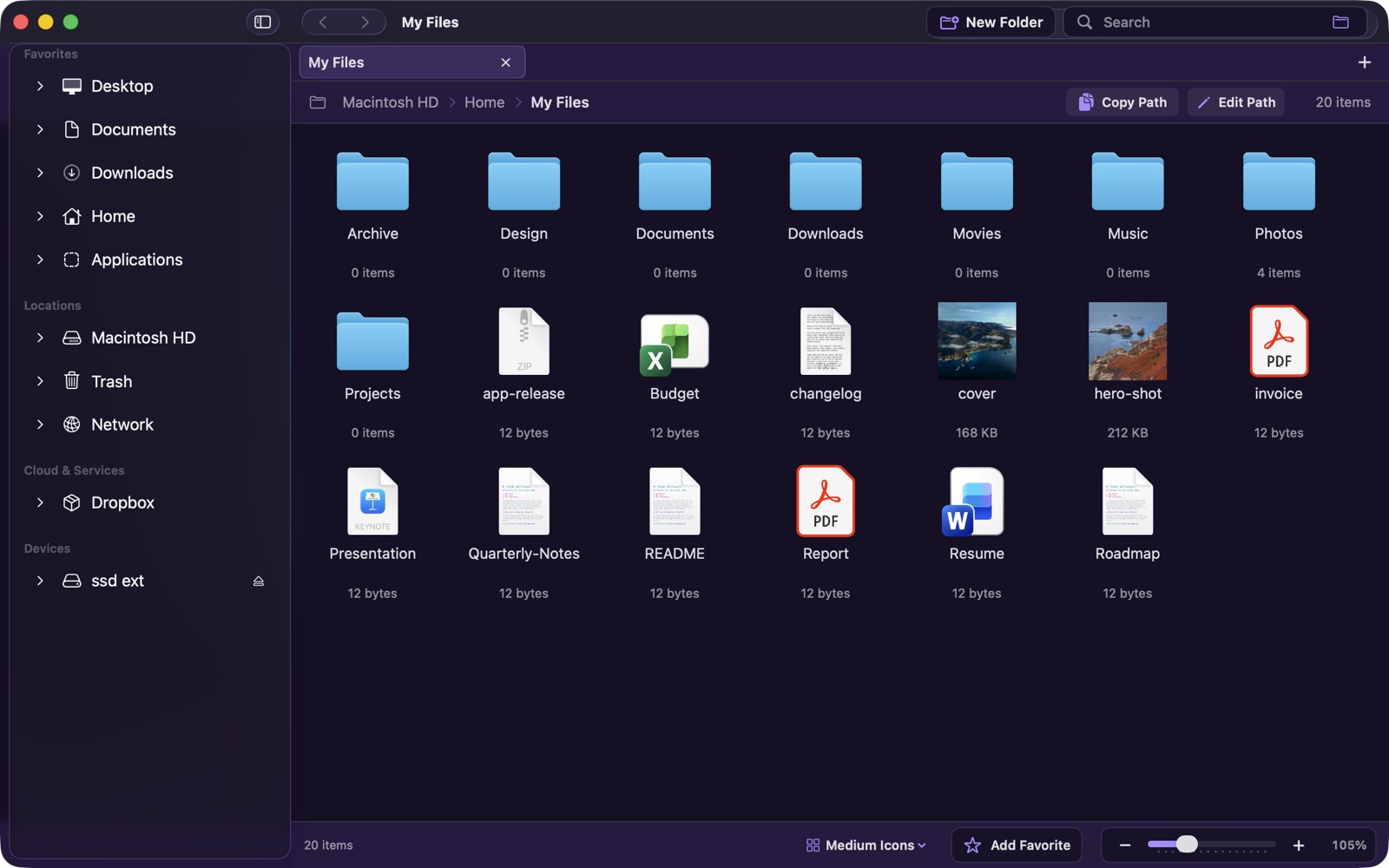
SADFinder macht tägliche Dateiarbeit schneller: Enter öffnet, Backspace geht nach oben, Delete verschiebt in den Papierkorb, dazu Tabs und eine Pfadleiste, in die du wirklich tippen kannst.
7 Tage kostenlos. Danach 5 $/Monat oder 29,99 $ einmalig.
Muskelgedächtnis
Du weißt schon, wie es funktioniert.
Enter öffnet
Öffne Ordner und Dateien mit Enter, statt sie versehentlich umzubenennen.
Backspace geht hoch
Springe mit der vertrauten Taste direkt in den übergeordneten Ordner.
Del
Delete heißt Papierkorb
Verschiebe markierte Objekte mit Delete in den Papierkorb. Cmd+Delete überspringt ihn.
⌘+R
Umbenennen
Direkt umbenennen, ohne langsamen Doppelklick.
⌘+T
Echte Tabs
Öffnen, wiederherstellen, in einem Tab ausschneiden und in einem anderen einfügen.
⌘+X
Ausschneiden
Dateien ausschneiden, Tab wechseln, einfügen, fertig.
⌘+N
Neues Fenster
Ein frisches Fenster, wenn du eins brauchst.
⌃+⇧+←
Fenster-Snapping
Ordne jedes vorderste Fenster per Tastatur in Hälften, Viertel oder Vollbild an.
The walkthrough
Everything that's in it, one step at a time.
The same tour from the video — so you know exactly what you're getting before you download.
01
Navigation
Enter goes in. Backspace goes up.
Make a folder, hit Enter — you're inside it. Press Backspace and you go one level up. The two keys your hands already reach for.
open / go in go up
📁assets
📁components↵
📄index.html
📄README.md
02
File operations
Press Delete — it goes to the Trash.
You press the Delete key and — wow, I know, right? — the file goes straight to the Trash. Exactly what that key should always have done.
move selection to Trash
📄
notes.md🖼️
shot.png🗑️
old.zip📁
drafts🎵
demo.m4a📦
backup → Trash
03
Navigation
A path bar you can type into.
Need to copy-paste a location? Here you go — a real path bar. Click it, type any path, press Enter, and you're there.
~/Documents/Projects
~/Desktop
04
Browsing
Tabs — cut here, paste there.
Constantly moving things around? Cmd-T opens a new tab. Select a bunch of files, Cmd-X to cut, switch to the other tab and paste — they actually move. And Cmd-N gives you a whole new window.
⌘Ttab ⌘Xcut ⌘Nwindow
Projects
Downloads
Photos
⌘Xcut here → ⌘Vpaste in the other tab
05
Editing
Rename with Cmd-R.
Renaming is a single shortcut — Cmd-R — and you edit the name right where it sits in the list.
⌘+R rename in place
📄cover.png
📄quarterly-report
📄todo.txt
06
Search
Search inside the folder you're in.
Want to find something in this exact folder? A quick filter scoped right to where you are — instant, no Spotlight detour.
report ⌘⇧F
📄quarterly-report.pdf
📄bug-report-may.txt
📊sales-report.xlsx
07
Window management
Snap your windows. Quarters, halves, full screen.
Need to organize your windows? One hotkey per layout — and it snaps any frontmost window, not just SADFinder.
SADFinder
⌃⇧↑Maximize
⌃⇧←Left half
⌃7Top-left quarter
⌃⇧→Right half
⌃3Bottom-right quarter
08
The Desktop
Real control over your Desktop.
Your Desktop sits in the sidebar like any other folder. When it's your front view, Delete clears real desktop files to the Trash — even with every other window minimized. Icons line up top to bottom, then left to right.
🖥️ Your real Desktop
📄
📁
🖼️
🎵
📦
⚙️
top ↓ bottom, then left → right
09
Make it yours
Favorites, sizing, and the view.
Favorite the folders you live in — they sit in the sidebar. Hold ⌘ and scroll to flip through six view modes, from a compact list to huge icons. A text-size slider in Settings dials in readability.
Favorites
★Projects
★Screenshots
★Invoices
📁
📄
🖼️
🎵
📦
⌘+ scroll·List → Huge Icons · 6 modes
10
Never stuck
And a cheat sheet, built right in.
There's a lot more in here. Whenever you want to refresh your memory, the full shortcut cheat sheet is one click away — right inside the app.
? Cheat sheet — always one click away
Open / go inside
Up one level
New tab⌘ T
Rename⌘ R
Snap left half⌃ ⇧ ←
Themes
Make it readable. Make it yours.
Ten built-in looks, from bright daytime palettes to low-glare dark themes, plus Large Text and High Contrast for serious readability.
SADFinder theme preview
Light, dark, and colorSwitch palettes without leaving Settings.
Large Text includedBigger labels and controls when readability matters.
High Contrast readySharper edges and stronger text for low-vision workflows.
Under the hood
More power. Less clutter.
Useful extras stay tucked away until you need them.
Small details, not another control panel.
The main flow stays clean. The extra tools sit in menus, shortcuts, and right-click actions.
Themes + large textLight, dark, high contrast, and 85-160% scaling.
Dropbox actionsOffline, online-only, share link, version history.
Undo and redoCopy, move, rename, trash, and new folder.
Real replacement modeFinder handoff, global hotkey, menu bar access.
Power toolsZip, unzip, Get Info, Terminal, VS Code.
Folder detailsSizes, hidden files, thumbnails, copy full path.
Private by defaultYour files stay on your Mac.
Automatic updatesNew fixes install when enabled.
Human supportMessage me directly when something breaks.
Testimonials
Mac switchers get it immediately.
A few words from people who wanted Finder to feel faster, more natural, and less in the way.
When I switched from Windows to Mac, Finder just didn’t click for me - literally. No clicking into folders, no backspace to go back, all the little shortcuts I took for granted were just… gone. I kept reaching for my mouse like it was 2005. SadFinder fixed that. Now navigating feels fast, natural, and honestly kind of satisfying. Wish I’d found it on day one.
Finder-Alternative
Ist SADFinder eine Finder-Alternative?
SADFinder ist bewusst schlank: native SwiftUI, tastaturorientiert und fokussiert auf die Dateiabläufe, die Finder ausbremst.
| What you do | SADFinder | Finder |
|---|---|---|
| Open a folder or file | Enter | Enter renames instead |
| Go up a level | Backspace | No shortcut |
| Send to Trash | Delete | Needs Cmd+Delete |
| Type a path | Editable path bar (Cmd+L) | Go-to dialog only |
| Tabs | Yes — reopen last closed | Yes — no reopen-closed |
| Filter the current folder | Quick filter (Cmd+Shift+F) | Spotlight only |
| Window snapping | Halves & quarters, built in | None |
| Themes & big-text mode | 10 themes + Large Text & High Contrast | Light / Dark only |
| Open a folder in Terminal / VS Code | One right-click | Needs Automator or extensions |
| Undo a move, rename, or delete | Cmd+Z across operations | Limited |
| Price | $5/mo or $29.99 once · 3 Macs | Free (built in) |
Gemacht für Mac-Nutzer, denen Finder zu langsam ist. Compare with Finder, Path Finder, ForkLift, Commander One, or browse all Finder alternatives. See the FAQ.
Preise
Monatlich zahlen oder einmal kaufen.
Wähle 5 $/Monat für Flexibilität oder zahle einmalig 29,99 $ und nutze SADFinder dauerhaft auf bis zu 3 Macs.
Monatlich
$5/ Monat
Monatliche Abrechnung. Jederzeit kündbar.
- Kontinuierliche Updates und Verbesserungen
- Auf bis zu 3 Macs nutzen
- Support per E-Mail
Beste Wahl
Lifetime3 Macs
$29.99 einmalig
No subscription — pays for itself in ~6 months.
Einmaliger Kauf. Dauerhaft auf bis zu 3 Macs nutzen.
- Kontinuierliche Updates und Verbesserungen
- Auf bis zu 3 Macs nutzen
- Support per E-Mail
No card required7 days free
Lifetime option$29.99 once
Three MacsIncluded on both options
14-day refundFirst-time purchases